Less guesswork.
More intention.
Your camera makes the photograph. Negativicer helps you choose the exposure — and remember how you made it.
For iPhone · In development · App Store release coming later
From the first reading
to the finished roll.
Analog photography is a sequence of decisions. Keep your cameras, lenses, film rolls and exposure records together, from loading to development.
Make it your camera.
Add your camera’s shutter speeds. Pair your lenses and aperture ranges. Load a roll and choose your working ISO.
Read the light.
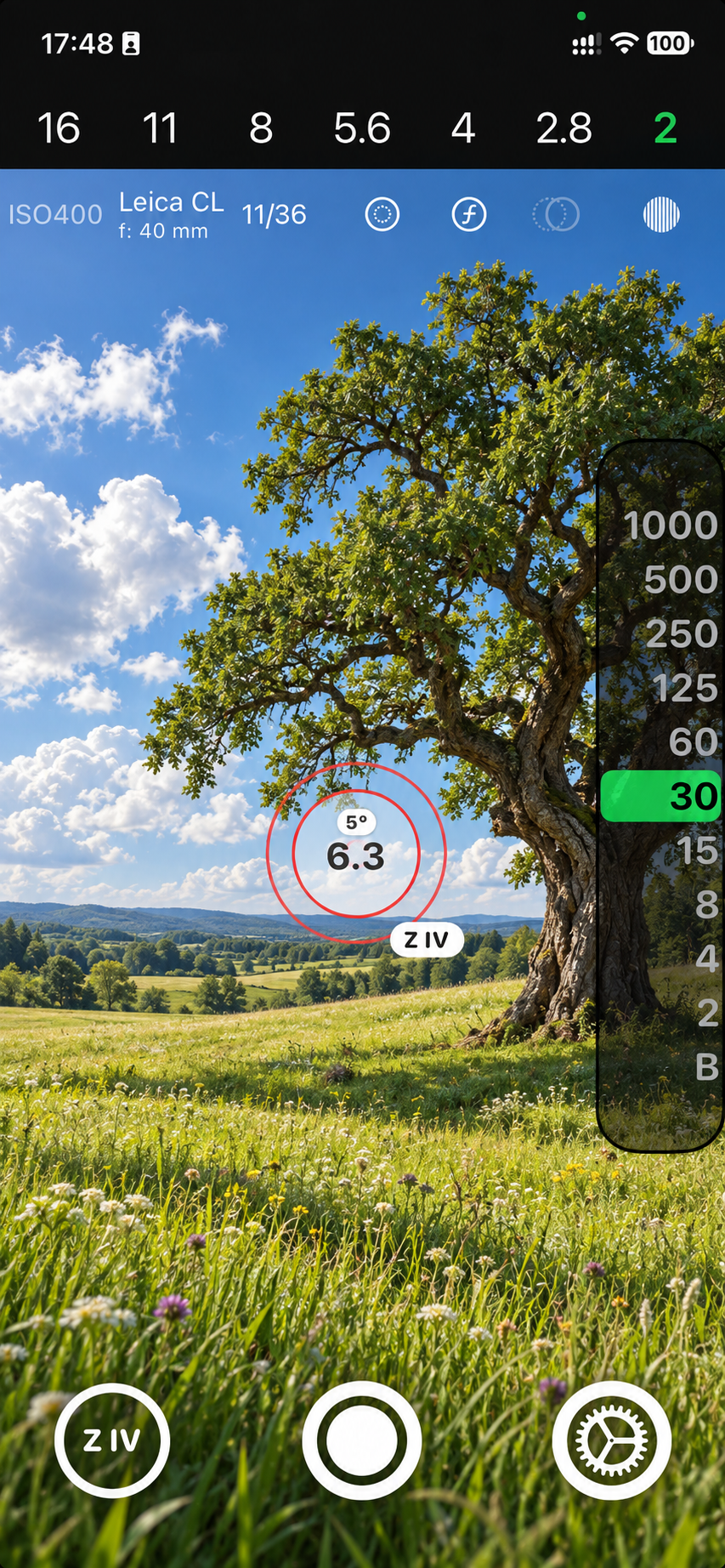
Choose an aperture. Meter the scene, freeze the view and compare up to four points. Set the suggested exposure on your analog camera.
Remember the frame.
Log the exposure with an optional snapshot and location. After development, compare your negatives or scans with a PDF of the roll.
Give your shadows
a place to belong.
In black and white, a reading is only the beginning. Choose a target zone for a measured area and see how it affects the exposure. Higher zones need more light; lower zones need less.
Understand the Zone System ↗Illustration only: no filters or reciprocity correction. Your camera’s available speeds may round the result.
A little knowledge.
A better next frame.
Start with the basics. Then make the tools your own.
Know your tools.
Controls, gestures, camera setup and film management. A reference to keep close.
Open the handbook ↗02 / TUTORIALSGo from reading to roll.
Three practical walkthroughs, from your first exposure to a finished PDF.
Start a tutorial ↗03 / ZONE SYSTEMThink in tones.
A zone table, worked examples and a clear explanation of multiple measuring points.
Explore the zones ↗Your photographs.
Your iPhone.
The current app keeps its records locally. No account. No app cloud sync. GPS is off by default. Export a PDF when you want to share or keep a record.
Read the privacy information ↗Let’s make every frame count.
Questions, ideas or a problem with Negativicer? Write to us.